MCP Explained for Developers: Understanding the Model Context Protocol
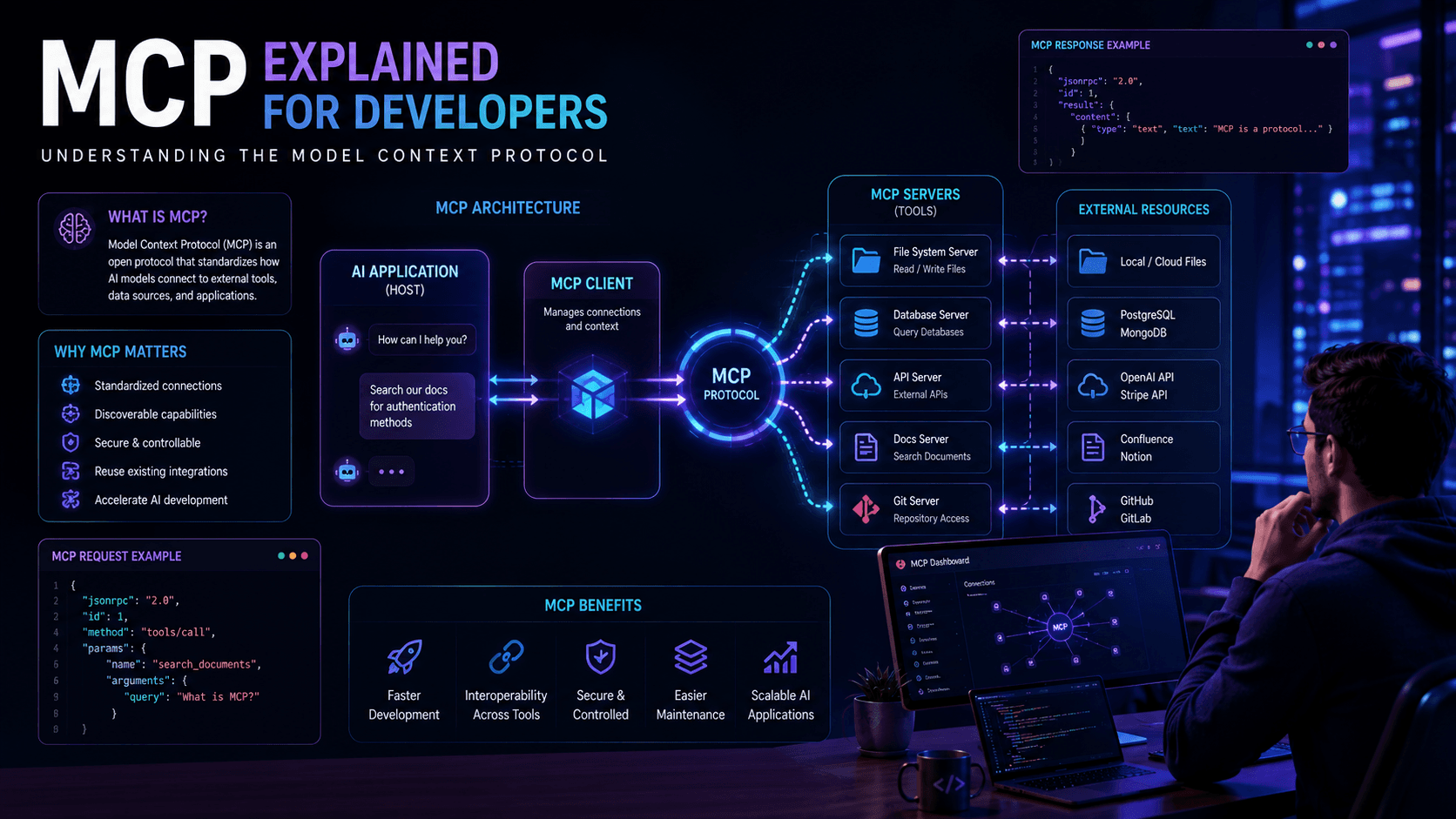
MCP is changing how AI applications interact with tools and external systems. Learn how the Model Context Protocol works and why developers should pay attention.
Artificial Intelligence applications are becoming more capable every year.
Modern AI systems no longer operate in isolation. Instead, they interact with APIs, databases, documents, business tools, and external services to complete real-world tasks.
As the AI ecosystem grows, developers face a new challenge:
How can AI models connect to external tools in a consistent and standardized way?
This challenge has led to the emergence of the Model Context Protocol (MCP).
MCP is quickly becoming one of the most important concepts in AI application development because it provides a standardized method for connecting AI systems to tools, data, and services.
In this guide, you'll learn what MCP is, how it works, and why developers are increasingly adopting it.
What Is MCP?
MCP stands for:
Model Context Protocol
It is an open protocol that allows AI models to interact with external systems through a standardized interface.
Instead of building custom integrations for every application, developers can use MCP to create reusable connections between AI models and tools.
Think of MCP as:
USB-C for AI Applications
Just as USB-C allows different devices to communicate through a common standard, MCP allows AI systems to connect to external resources through a common protocol.
Why MCP Matters
Traditional AI integrations often look like this:
AI Model
 ↓
Custom Integration
 ↓
Tool
Every new tool requires a separate integration.
With MCP:
AI Model
 ↓
MCP
 ↓
Multiple Tools
The AI can access multiple services using a consistent interface.
Benefits include:
- Faster development
- Better interoperability
- Reduced maintenance
- Easier integrations
- Improved scalability
Core Components of MCP
Most MCP implementations include three primary components.
MCP Host
The application that uses AI capabilities.
Examples:
- AI assistants
- Developer tools
- Chat applications
- AI IDEs
MCP Client
Responsible for communicating with MCP servers.
The client requests information and actions on behalf of the AI application.
MCP Server
Provides access to external tools and data sources.
Examples include:
- File systems
- Databases
- APIs
- Documentation systems
- Business applications
How MCP Works
A simplified workflow looks like this:
User Request
 ↓
AI Model
 ↓
MCP Client
 ↓
MCP Server
 ↓
External Tool
 ↓
Response
This allows AI systems to access information and perform actions beyond their training data.
MCP and AI Agents
MCP is particularly valuable for AI agents.
Modern agents often need access to:
- Documents
- Databases
- APIs
- Business systems
Instead of building separate integrations, agents can use MCP-compatible servers.
If you're new to autonomous systems, read How AI Agents Work.
MCP vs Traditional APIs
Many developers wonder how MCP differs from APIs.
| Feature | Traditional APIs | MCP |
|---|---|---|
| Standardized Access | ❌ | ✅ |
| Tool Discovery | Limited | ✅ |
| AI Optimized | ❌ | ✅ |
| Reusable Integrations | Limited | ✅ |
APIs remain important, but MCP provides a layer specifically designed for AI interactions.
MCP and RAG Systems
Many Retrieval-Augmented Generation applications can benefit from MCP.
For example, an MCP server might expose:
- Internal documentation
- Knowledge bases
- Company resources
This makes it easier for AI applications to retrieve information.
Learn more in RAG Explained for Developers.
MCP and LangChain
Frameworks such as LangChain increasingly integrate with MCP-compatible tools.
This allows developers to build:
- AI assistants
- Agents
- Search systems
- Workflow automations
Learn more in LangChain Tutorial for Developers.
Real-World Use Cases
AI Development Tools
Allow AI coding assistants to access project files and documentation.
Customer Support
Connect AI assistants to knowledge bases and ticketing systems.
Enterprise Search
Provide secure access to internal documents.
Workflow Automation
Allow AI systems to interact with calendars, CRMs, and business applications.
Benefits of MCP
Standardization
Developers no longer need to build custom integrations repeatedly.
Better AI Context
Models gain access to relevant information.
Easier Maintenance
One protocol can support many tools.
Improved Scalability
Applications become easier to expand.
Common Challenges
Security
External tool access must be carefully managed.
Permissions
Developers should limit access to only necessary resources.
Ecosystem Maturity
MCP is still evolving and best practices continue to emerge.
Frequently Asked Questions
Is MCP open source?
Yes. MCP is designed as an open protocol.
Does MCP replace APIs?
No. MCP builds on top of existing APIs.
Is MCP only for AI agents?
No. Any AI application can benefit from MCP.
Should developers learn MCP?
Absolutely.
As AI systems become more connected to external tools and data, understanding MCP will become increasingly valuable.
Further Reading
- How AI Agents Work
- OpenAI API Complete Guide
- RAG Explained for Developers
- LangChain Tutorial for Developers
- Vector Databases Explained
Final Verdict
The Model Context Protocol represents an important step toward a more connected AI ecosystem.
By providing a standardized way for AI models to interact with tools, services, and data sources, MCP simplifies development and improves interoperability.
For developers building AI-powered applications in 2026 and beyond, understanding MCP is quickly becoming an essential skill.
Related Articles
More from the AI + Code category
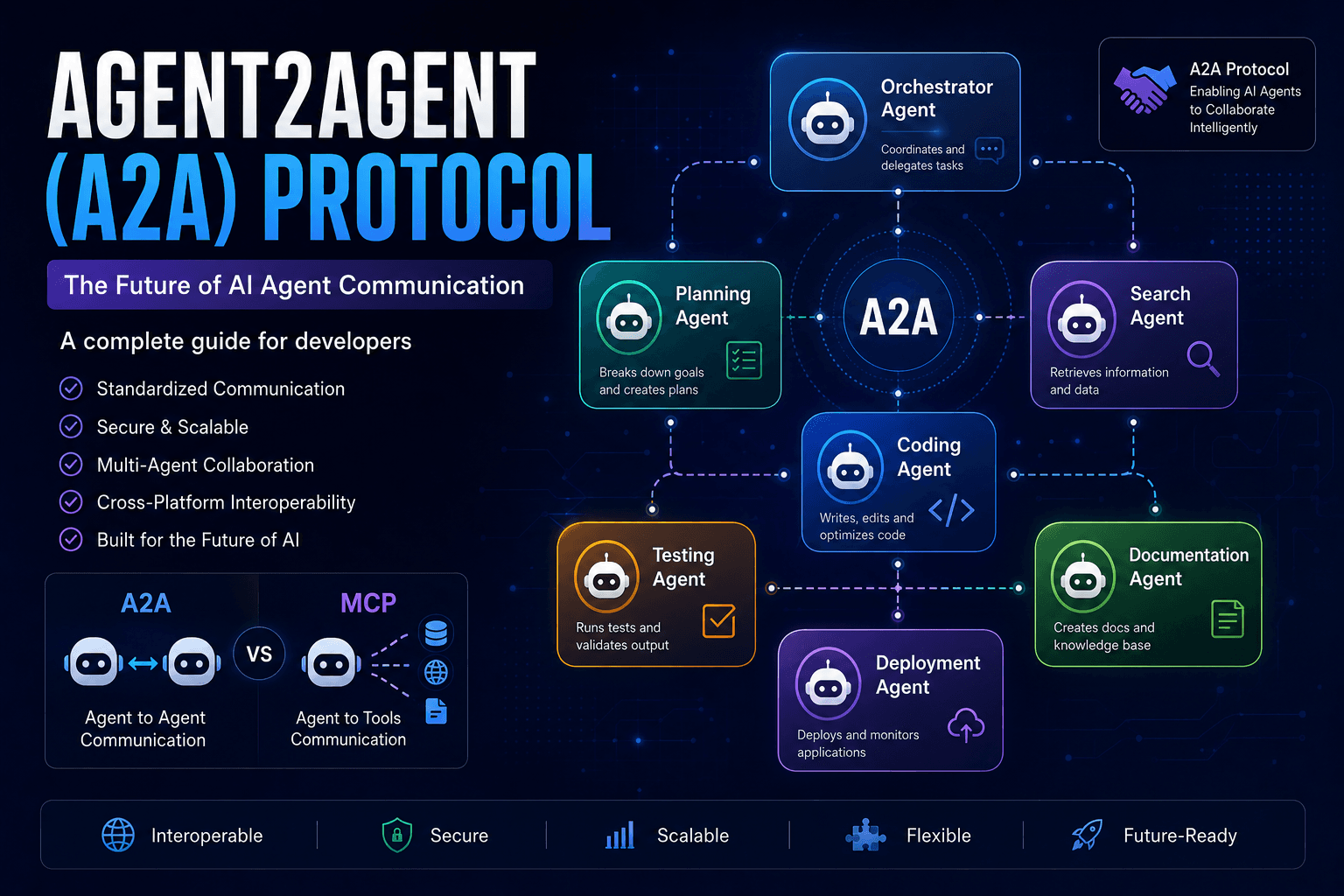
Agent2Agent (A2A) Protocol Explained: The Complete Developer Guide for 2026
Discover how the Agent2Agent (A2A) Protocol enables AI agents to collaborate securely and efficiently. Learn its architecture, use cases, benefits, and how it compares with MCP.
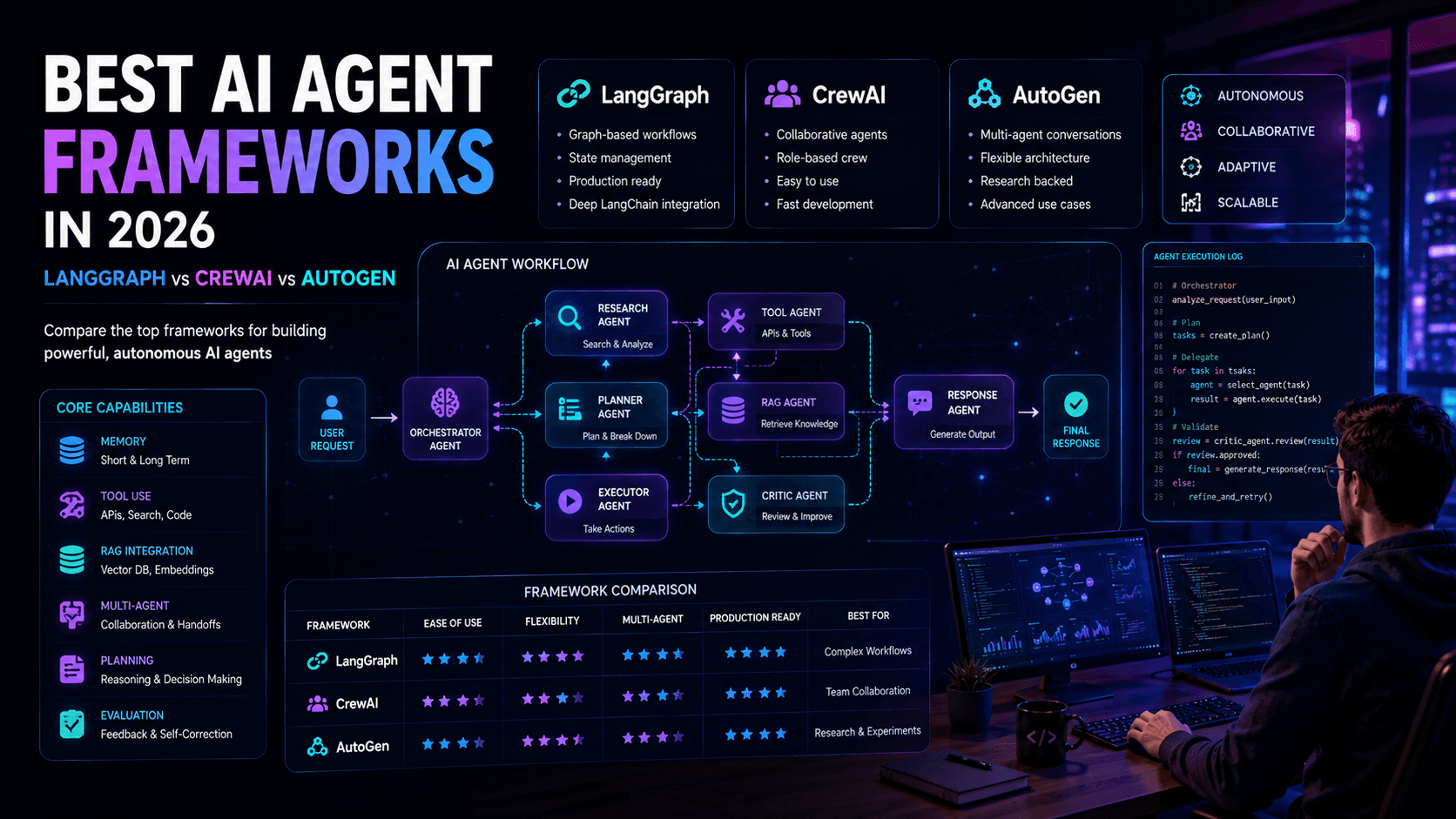
Best AI Agent Frameworks in 2026: LangGraph vs CrewAI vs AutoGen
Looking to build AI agents? This guide compares LangGraph, CrewAI, AutoGen, and other leading AI agent frameworks to help developers choose the right solution.
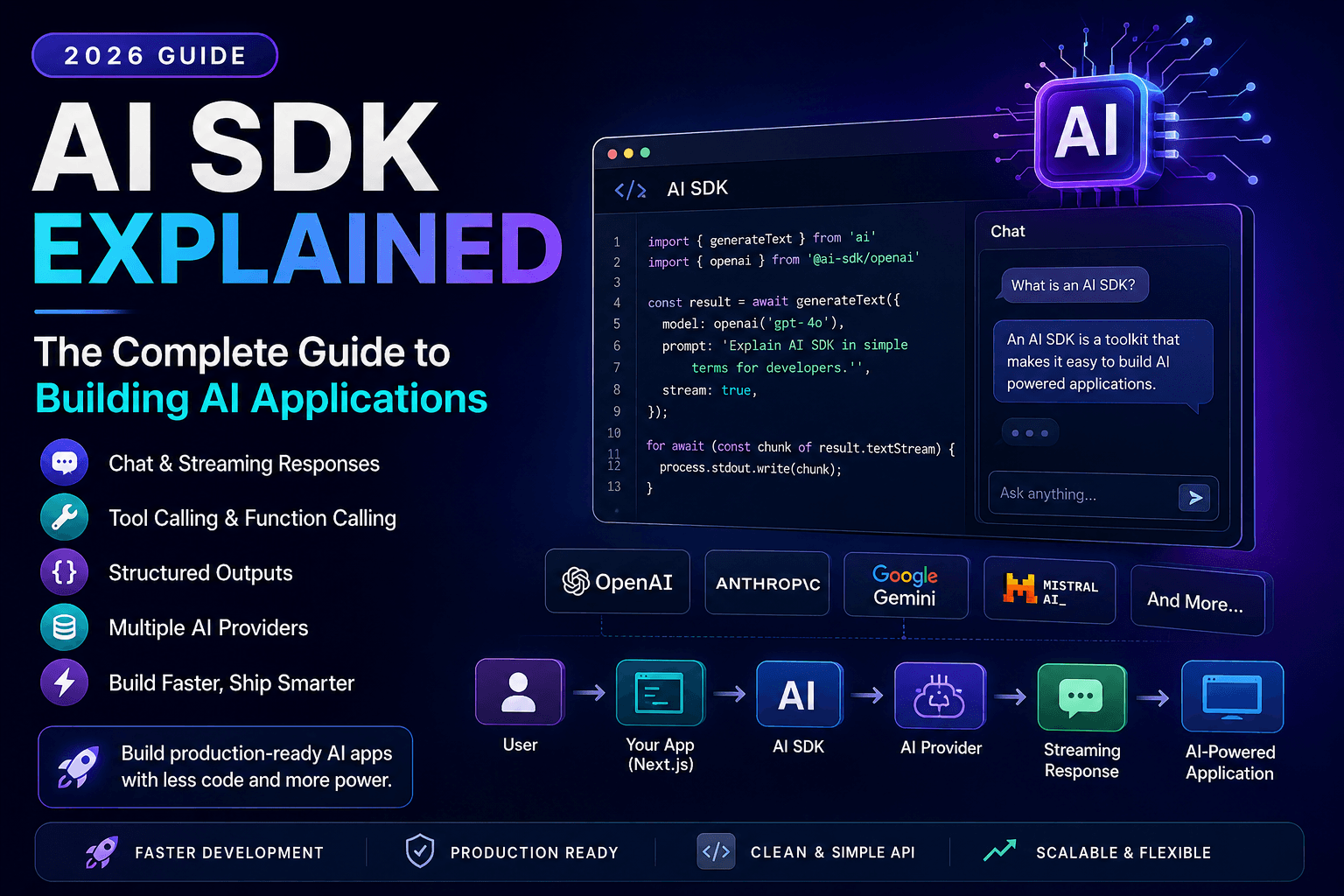
AI SDK Explained: The Complete Guide to Building AI Applications in 2026
Discover how AI SDKs simplify building AI-powered applications. Learn streaming responses, tool calling, chat interfaces, structured outputs, and production best practices.